Kt Shapes
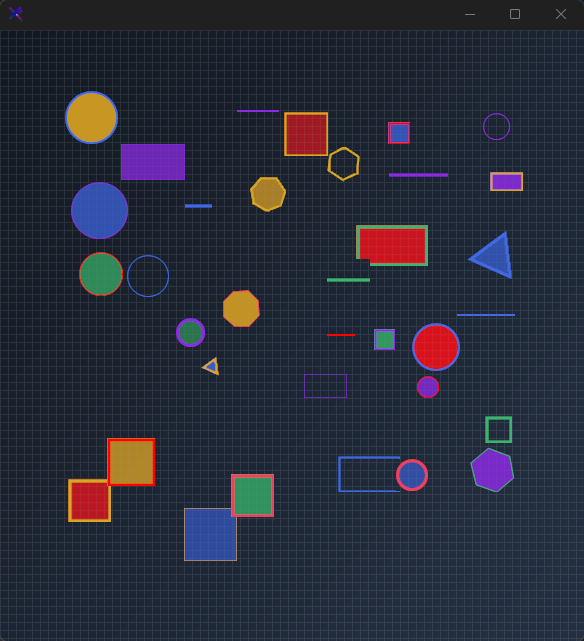
A versatile shape renderer supporting circles, ovals, squares, rectangles, polygons (3 to 16 sides), and lines with independent fill opacity, border, rotation, and side-count control.

🟢 DESIGNER SUPPORT
This control has full Visual Studio design-time support.
Drag it from the Toolbox onto your form, customize its properties directly in the Properties window, and KimTools will generate the corresponding code for you.
var shape = new KtShapes();
| Shape | Shapes | Sets the shape to be drawn. |
|---|
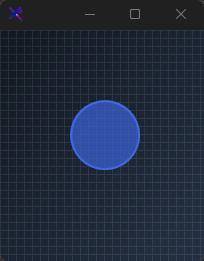
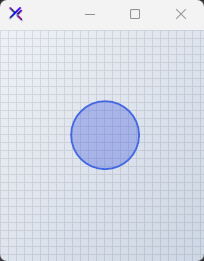
Circle (Shapes.Circle)
Draws a smooth anti-aliased circle inscribed perfectly within equal control dimensions.
var panel = CreateContainerPanel(120, 120);

var circle = new KtShapes
{
    Width = 70,
    Height = 70,
    Margin = new Padding(5),
    Shape = KtShapes.Shapes.Circle,
    FillColor = KtColor.PRIMARY % 50,
    BorderColor = KtColor.PRIMARY,
    BorderThickness = 2,
    FillShape = true
};

panel.Controls.Add(circle);

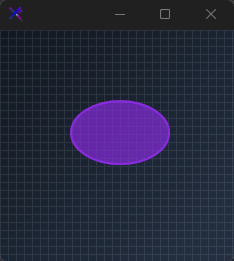
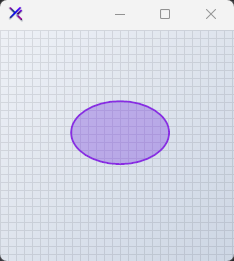
Oval (Shapes.Oval)
Draws an ellipse that dynamically stretches to match rectangular control dimensions.
var panel = CreateContainerPanel(150, 120);

var oval = new KtShapes
{
    Width = 100,
    Height = 65,
    Margin = new Padding(5),
    Shape = KtShapes.Shapes.Oval,
    FillColor = KtColor.SECONDARY % 50,
    BorderColor = KtColor.SECONDARY,
    BorderThickness = 2,
    FillShape = true
};

panel.Controls.Add(oval);

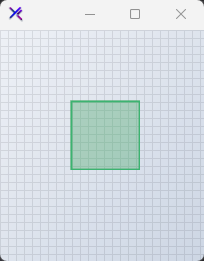
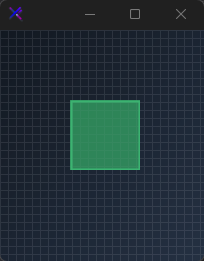
Square (Shapes.Square)
Draws an equilateral 4-sided box with centered geometry.
var panel = CreateContainerPanel(120, 120);

var square = new KtShapes
{
    Width = 70,
    Height = 70,
    Margin = new Padding(5),
    Shape = KtShapes.Shapes.Square,
    FillColor = KtColor.SUCCESS % 50,
    BorderColor = KtColor.SUCCESS,
    BorderThickness = 2,
    FillShape = true
};

panel.Controls.Add(square);
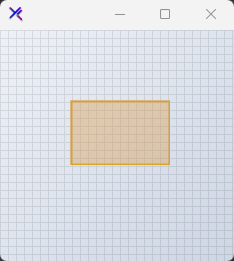
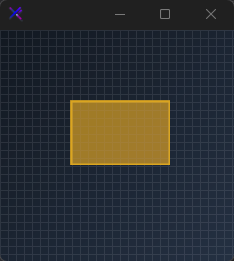
Rectangle (Shapes.Rectangle)
Draws a four-sided polygon scaled to custom width and height bounds.
var panel = CreateContainerPanel(150, 120);

var rect = new KtShapes
{
    Width = 100,
    Height = 65,
    Margin = new Padding(5),
    Shape = KtShapes.Shapes.Rectangle,
    FillColor = KtColor.WARNING % 50,
    BorderColor = KtColor.WARNING,
    BorderThickness = 2,
    FillShape = true
};

panel.Controls.Add(rect);
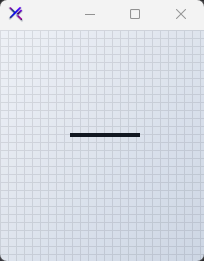
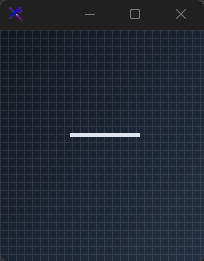
Line (Shapes.Line)
Renders a vector stroke across the control’s diagonal plane.
var panel = CreateContainerPanel(120, 120);

var line = new KtShapes
{
    Width = 70,
    Height = 70,
    Margin = new Padding(5),
    Shape = KtShapes.Shapes.Line,
    BorderColor = KtColor.CONTENT,
    BorderThickness = 4,
    FillShape = false
};

panel.Controls.Add(line);
| Sides | integer | Sets the number of sides (minimum 16) for a polygon. |
|---|
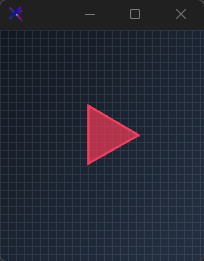
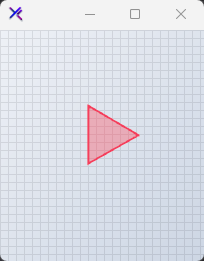
Triangle (Sides = 3)
Renders a 3-sided regular polygon shape with transparent fill to emphasize the border.
var panel = CreateContainerPanel(120, 120);

var triangle = new KtShapes
{
    Width = 70,
    Height = 70,
    Margin = new Padding(5),
    Shape = KtShapes.Shapes.Polygon,
    Sides = 3,
    FillColor = KtColor.Rose[60] % 50,
    BorderColor = KtColor.Rose[60],
    BorderThickness = 2,
    FillShape = true
};

panel.Controls.Add(triangle);

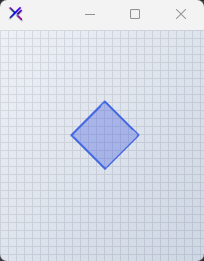
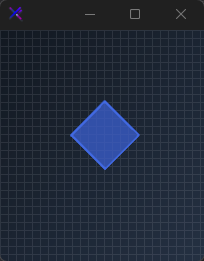
Quadrilateral / Diamond (Sides = 4)
Renders a 4-sided regular polygon shape with emphasized borders.
var panel = CreateContainerPanel(120, 120);

var quad = new KtShapes
{
    Width = 70,
    Height = 70,
    Margin = new Padding(5),
    Shape = KtShapes.Shapes.Polygon,
    Sides = 4,
    FillColor = KtColor.PRIMARY % 50,
    BorderColor = KtColor.PRIMARY,
    BorderThickness = 2,
    FillShape = true
};

panel.Controls.Add(quad);
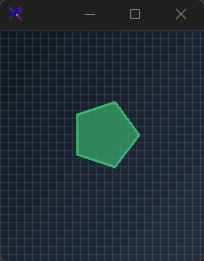
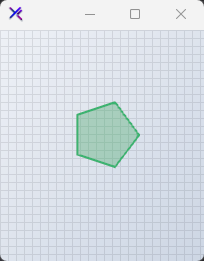
Pentagon (Sides = 5)
Renders a 5-sided regular polygon shape with emphasized borders.
var panel = CreateContainerPanel(120, 120);

var pentagon = new KtShapes
{
    Width = 70,
    Height = 70,
    Margin = new Padding(5),
    Shape = KtShapes.Shapes.Polygon,
    Sides = 5,
    FillColor = KtColor.SUCCESS % 50,
    BorderColor = KtColor.SUCCESS,
    BorderThickness = 2,
    FillShape = true
};

panel.Controls.Add(pentagon);

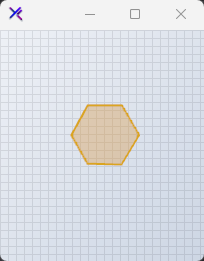
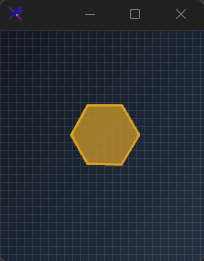
Hexagon (Sides = 6)
Renders a 6-sided regular polygon shape with emphasized borders.
var panel = CreateContainerPanel(120, 120);

var hexagon = new KtShapes
{
    Width = 70,
    Height = 70,
    Margin = new Padding(5),
    Shape = KtShapes.Shapes.Polygon,
    Sides = 6,
    FillColor = KtColor.WARNING % 50,
    BorderColor = KtColor.WARNING,
    BorderThickness = 2,
    FillShape = true
};

panel.Controls.Add(hexagon);
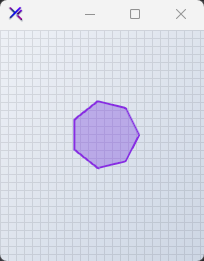
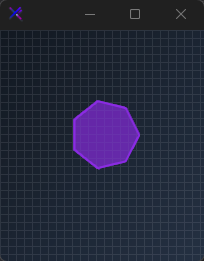
Heptagon (Sides = 7)
Renders a 7-sided regular polygon shape with emphasized borders.
var panel = CreateContainerPanel(120, 120);

var heptagon = new KtShapes
{
    Width = 70,
    Height = 70,
    Margin = new Padding(5),
    Shape = KtShapes.Shapes.Polygon,
    Sides = 7,
    FillColor = KtColor.SECONDARY % 50,
    BorderColor = KtColor.SECONDARY,
    BorderThickness = 2,
    FillShape = true
};

panel.Controls.Add(heptagon);
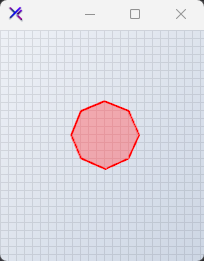
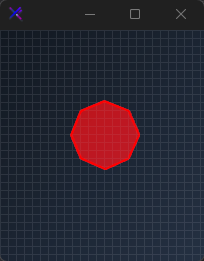
Octagon (Sides = 8)
Renders an 8-sided regular polygon shape with emphasized borders.
var panel = CreateContainerPanel(120, 120);

var octagon = new KtShapes
{
    Width = 70,
    Height = 70,
    Margin = new Padding(5),
    Shape = KtShapes.Shapes.Polygon,
    Sides = 8,
    FillColor = KtColor.ERROR % 50,
    BorderColor = KtColor.ERROR,
    BorderThickness = 2,
    FillShape = true
};

panel.Controls.Add(octagon);
| FillShape | Boolean | Sets a value indicating whether shapes will be filled upon drawing. |
|---|
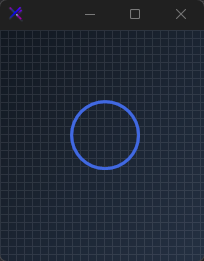
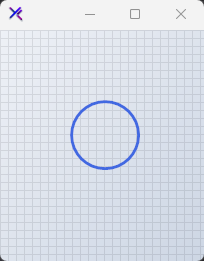
Wireframe Outline (FillShape = false)
Disables interior shape filling so only the border path is drawn.
var panel = CreateContainerPanel(120, 120);

var outline = new KtShapes
{
    Width = 70,
    Height = 70,
    Margin = new Padding(5),
    Shape = KtShapes.Shapes.Circle,
    FillColor = KtColor.Transparent,
    BorderColor = KtColor.PRIMARY,
    BorderThickness = 3,
    FillShape = false
};

panel.Controls.Add(outline);

| Angle | float | Sets the angle to be used when drawing polygons and lines. |
|---|
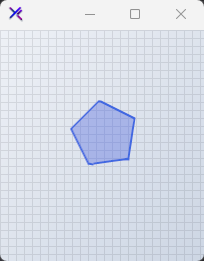
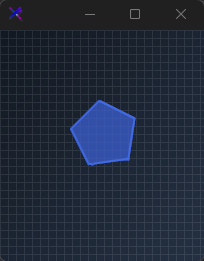
Rotation (Angle)
Applies a center-point rotation matrix using degree values (e.g. Angle = 45).
var panel = CreateContainerPanel(120, 120);

var rotated = new KtShapes
{
    Width = 70,
    Height = 70,
    Margin = new Padding(5),
    Shape = KtShapes.Shapes.Polygon,
    Sides = 5,
    Angle = 45,
    FillColor = KtColor.PRIMARY % 50,
    BorderColor = KtColor.PRIMARY,
    BorderThickness = 2,
    FillShape = true
};

panel.Controls.Add(rotated);
| BorderColor | Kt-Color | Sets the shape border color. |
|---|
| BorderThickness | integer | Sets the shape border thickness. |
|---|
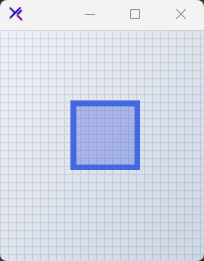
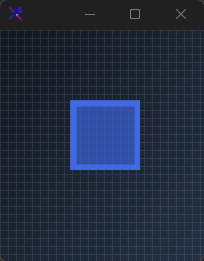
Heavy Border (BorderThickness)
Scales the stroke width up to heavy lines using inset pen alignment.
var panel = CreateContainerPanel(120, 120);

var thick = new KtShapes
{
    Width = 70,
    Height = 70,
    Margin = new Padding(5),
    Shape = KtShapes.Shapes.Square,
    FillColor = KtColor.PRIMARY % 50,
    BorderColor = KtColor.PRIMARY,
    BorderThickness = 6,
    FillShape = true
};

panel.Controls.Add(thick);
API Reference
| FillColor | Kt-Color | Sets the shape fill color. |
| BorderColor | Kt-Color | Sets the shape border color. |
| Shape | Shapes | Sets the shape to be drawn. |
| FillShape | Boolean | Sets a value indicating whether shapes will be filled upon drawing. |
| BorderThickness | integer | Sets the shape border thickness. |
| Sides | integer | Sets the number of sides (minimum 16) for a polygon. |
| Angle | float | Sets the angle to be used when drawing polygons and lines. |